DINAMICO STUDIO
Interactive Raw vs. Retouched Proofs

Interactive Before & After Studio Proofs

Inspect raw studio captures side-by-side against finished production masters. Every proof below lists exact source inputs, manual Photoshop techniques applied, and final marketplace deliverables.

clipping path & White Background — Dinamico Studio Before and After (After)
clipping path & White Background — Dinamico Studio Before and After (Before)
Before After

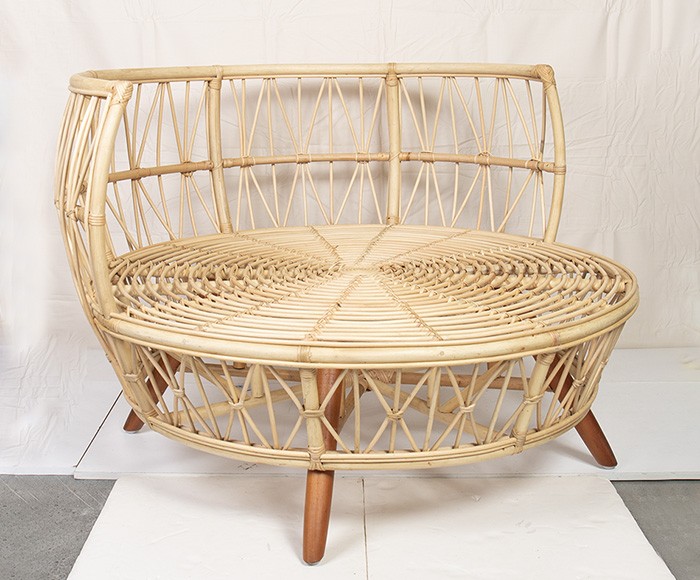
clipping path & White Background

Background Removal

Background Removal
Source:
RAW, TIFF, PNG, or JPEG studio/warehouse product photos
Edit:
Hand-drawn Pen Tool isolation onto verified RGB (255,255,255) pure white or transparent alpha canvas
Delivery:
Amazon/Shopify/eBay-sized sRGB JPEG or transparent PNG aligned to 85% frame fill in 12–24h
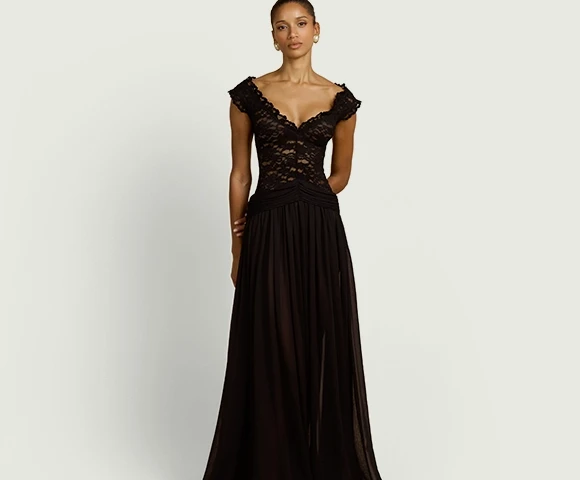
Background Removal — Dinamico Studio Before and After (After)
Background Removal — Dinamico Studio Before and After (Before)
Before After

Background Removal

Background Removal · Image Masking

Image Masking
Source:
High-res RAW, TIFF, or JPEG with hair, fur, wool knits, lace, or translucent glass
Edit:
16-bit alpha channel & luminosity masking with manual edge color decontamination (zero haloing)
Delivery:
Non-destructive layered PSD mask + transparent PNG or pure white sRGB JPEG in 12–24h
Clipping Path — Dinamico Studio Before and After (After)
Clipping Path — Dinamico Studio Before and After (Before)
Before After

Clipping Path

Clipping Path

Clipping Path

Clipping path is the best way to remove background

Source:
RAW, TIFF, PSD, or high-res JPEG packshots (single or multi-component SKUs)
Edit:
100% manual Photoshop Pen Tool closed vector path (0.5px inset) + tri-background Black/Gray/White QA
Delivery:
Embedded vector paths in PSD/TIFF/JPEG plus pure white or transparent PNG cutouts in 12–24h
Apparel Retouching — Dinamico Studio Before and After (After)
Apparel Retouching — Dinamico Studio Before and After (Before)
Before After

Apparel Retouching

Clipping Path · Photo Retouching · E-commerce Photo Retouching

3D Ghost Mannequin
Source:
2 RAW/JPEG frames: garment on mannequin (front) + matching inside-collar / hem insert shot
Edit:
0.5px Pen Tool cutout, interior collar/label compositing, 15–25% 3D neck-depth shadow & symmetrical hem alignment
Delivery:
2048px sRGB JPEG on RGB (255,255,255) white + optional layered PSD in 12–24h
Ghost Mannequin — Dinamico Studio Before and After (After)
Ghost Mannequin — Dinamico Studio Before and After (Before)
Before After

Ghost Mannequin

Ghost Mannequin

3D Ghost Mannequin
Source:
2 RAW/JPEG frames: garment on mannequin (front) + matching inside-collar / hem insert shot
Edit:
0.5px Pen Tool cutout, interior collar/label compositing, 15–25% 3D neck-depth shadow & symmetrical hem alignment
Delivery:
2048px sRGB JPEG on RGB (255,255,255) white + optional layered PSD in 12–24h
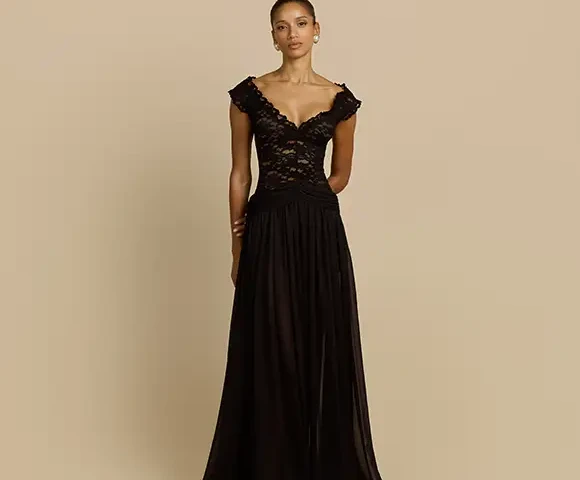
Image Masking — Dinamico Studio Before and After (After)
Image Masking — Dinamico Studio Before and After (Before)
Before After

Image Masking

Image Masking

Image Masking
Source:
High-res RAW, TIFF, or JPEG with hair, fur, wool knits, lace, or translucent glass
Edit:
16-bit alpha channel & luminosity masking with manual edge color decontamination (zero haloing)
Delivery:
Non-destructive layered PSD mask + transparent PNG or pure white sRGB JPEG in 12–24h
Jewelry Retouching — Dinamico Studio Before and After (After)
Jewelry Retouching — Dinamico Studio Before and After (Before)
Before After

Jewelry Retouching

Background Removal · Jewelry Retouching

Luxury Jewelry Retouching
Source:
16-bit macro RAW / TIFF or focus-stacked bracketed frames
Edit:
Multi-path vector isolation (metal vs. prongs vs. stones), smooth metallic reflection gradients, dust cleanup & facet brilliance
Delivery:
2400px+ sRGB JPEG / PNG + layered PSD with crisp contact shadow or subtle reflection in 12–24h

Verified Client Feedback

What E-Commerce Teams Say

“Quality work and low prices! Get the best understanding of your photos here. Accidentally found this company, but they edit better than anyone else I've seen so far. You have the opportunity to work with a team of professionals who will help you understand and make decisions about your photos.”
James Paonessa
James Paonessa
Photographer & Digital Retoucher
“Looking for professional photo editing services? Can't find a company in your area, but still want quality and affordable service? Look no further than Dinamico Studio! With over 10 years of experience working with clients from all walks of life, they are committed to providing you the best possible work at an unbeatable price. They're online-based so it'll be easy finding them whether or not you live nearby!”
Halil Tosun
Halil Tosun
Photographer
“Dinamicostudio did a fantastic job on my photo! I needed it to be edited for both personal and professional purposes, so they were more than happy to work with me. They communicated efficiently throughout the process of editing until we arrived at something that was perfect for what I wanted out of this project. Thank you Dinamicostudio- highly recommend them if you need images edited professionally!”
Karin Michele Dailey
Commercial Photographer

Two Ways To Start · Zero Risk

Ready To Scale Your Product Visuals?

Upload 2–3 raw packshots (RAW, PSD, TIFF, JPEG up to 2 GB) for a free human calibration test in 12–24 hours—or launch Dinamico AI Studio right now with 20 free HD cutout credits.